Searching your library
Your box gets bigger than you'd think. Luckily there's only one place to search.
One search bar
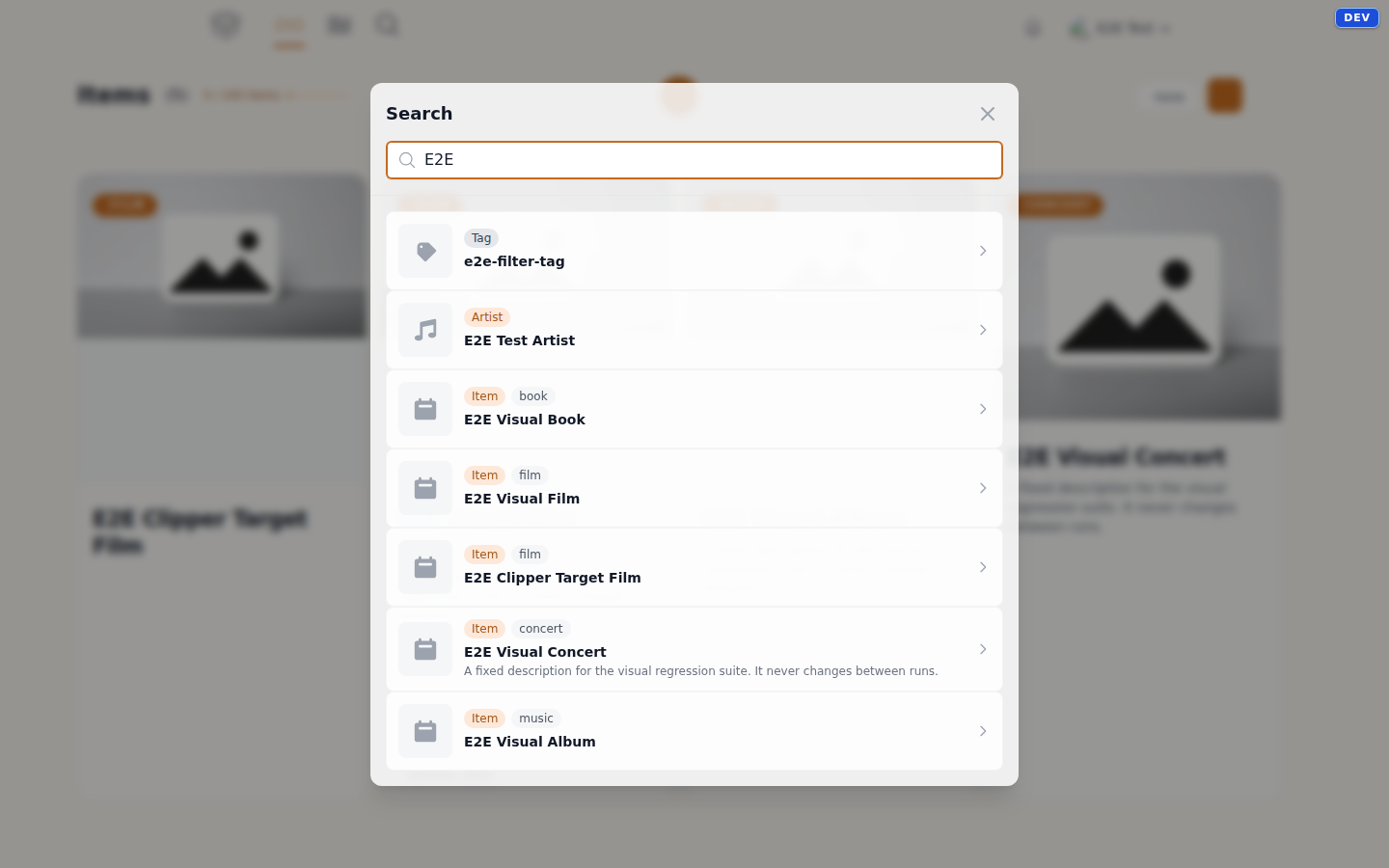
Click the magnifying glass in the navigation bar and start typing. From two letters on, MyCultBox searches — and not only your items: you also get articles, artists, works, tags and companions back, neatly grouped. Click a result and you're there.
Results are ranked by relevance — a hit in the title counts for more than a hit somewhere in a description. Anything that would be listed twice is left out: if a matching artist belongs to a concert that's already in the list, we don't show them again.
Loose words, any order
Your query is split into words, and each word has to appear somewhere — but not next to each other and not in that order. That's why symphony 9 finds "Arnold: Symphony No. 9", and why grunberg tirza gives you the same thing as tirza grunberg.
Where it looks
On an item MyCultBox looks well past the title: the description, the location, the organiser, your personal notes — plus everything the category added. Author, publisher, ISBN and blurb on books. Director, screenwriter, cast, genres and original title on films. Artist, label, format, composers, producers, the tracklist and the credits on music. Venue, tour, opening acts and headliners on concerts.
Filtering your library
Search finds one thing; filtering makes a selection. In your library you switch on what you want to see:
- Category — from your overview you open a single shelf: books only, concerts only.
- Tags — one or several at a time.
- Status — past or upcoming. MyCultBox sets that from the date.
- Rating — from a minimum score up.
- Organiser — everything at the same venue or festival.
You can sort by when you added something or by the item's own date, and switch between Cards and Wall — or view your box on the timeline or on the map. All your filters live in the link, so a view like that can be bookmarked.